// ALSO BUILDING 07 - 2026
Salon
A two-phase wall composition planner that turns a print inventory and wall dimensions into six drag-adjustable hanging layouts, so you know exactly where every nail goes before you touch the wall.
What it is
Design a print arrangement for your art and photos. Tell Salon how many prints of each size you have, and it suggests attractive patterns and gives you a drag-and-drop interface to compose your wall layout.
Why I built it
My wife and I have dozens of prints we've never put on our walls since we moved last year. I wanted to change that with a drag-and-drop interface to explore different print layouts on different size and shaped walls. This is in early development - next I want you to take a photo of your actual walls and use that as the canvas to place prints on. I'd also like a feature where you lay your prints out on the floor, take a photo, confirm each print's size, and then drag miniature versions of your real collection onto the wall space you actually have.
How it works
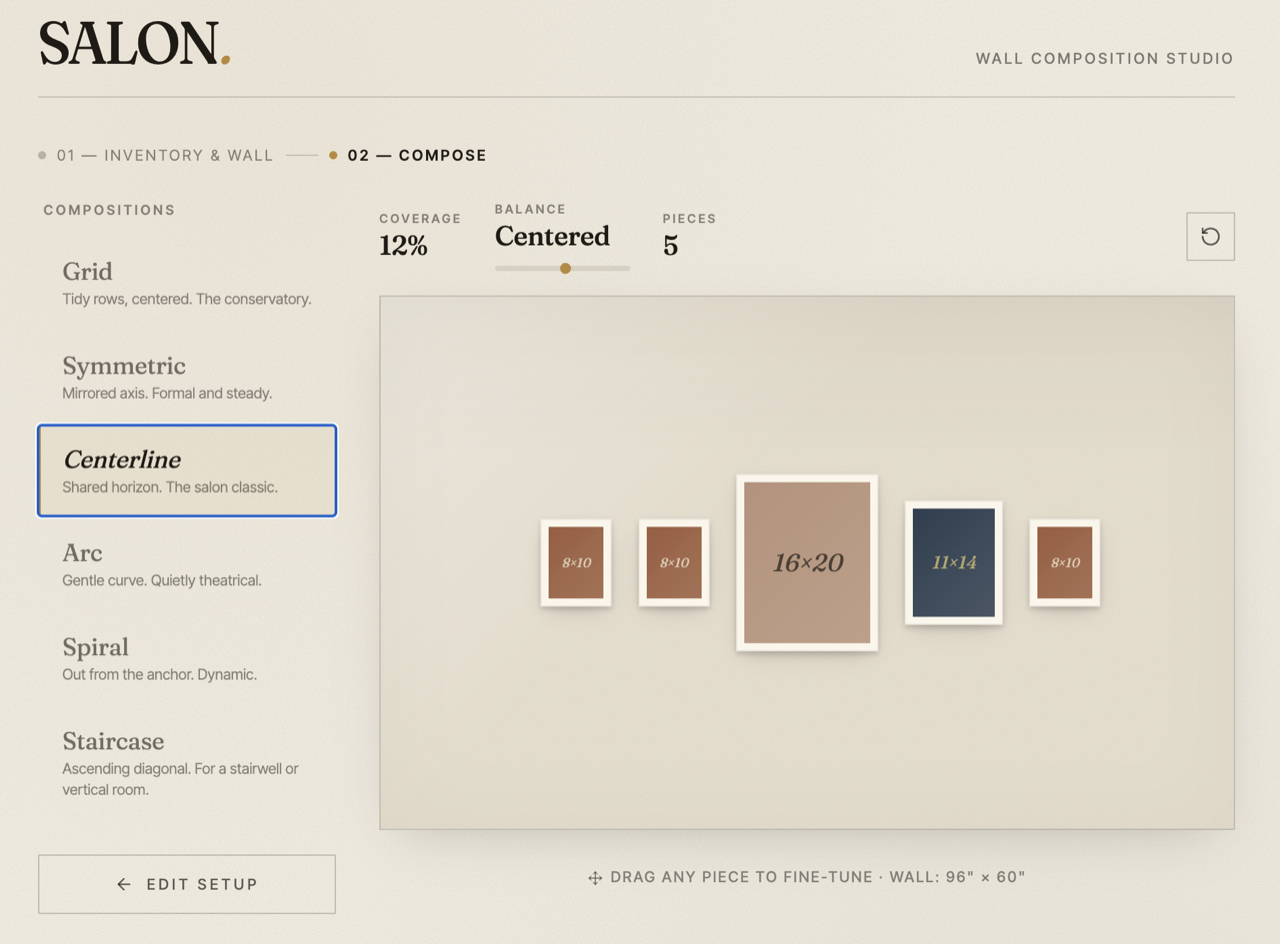
Salon is a single-file React app with two phases. In Setup you enter your prints as size-by-count rows plus your wall dimensions in inches. In Compose, six algorithms render that inventory onto a scaled wall preview, and every piece is draggable so you can nudge the arrangement by hand. As you adjust, it shows live coverage and a balance score so you're not just eyeballing it. It's early-stage and runs locally - there's no hosted version yet.
- Six switchable layouts - Grid, Symmetric, Centerline/Gallery, Arc, Spiral, Staircase - all from the same inventory.
- Drag-to-adjust on every piece, with a live inch readout on the selected frame.
- Live coverage ratio and a balance score so layout choices are data-backed.
- Planned, not built yet: a photo of your real wall as the canvas, and photographing prints on the floor to drag miniatures of your actual collection.